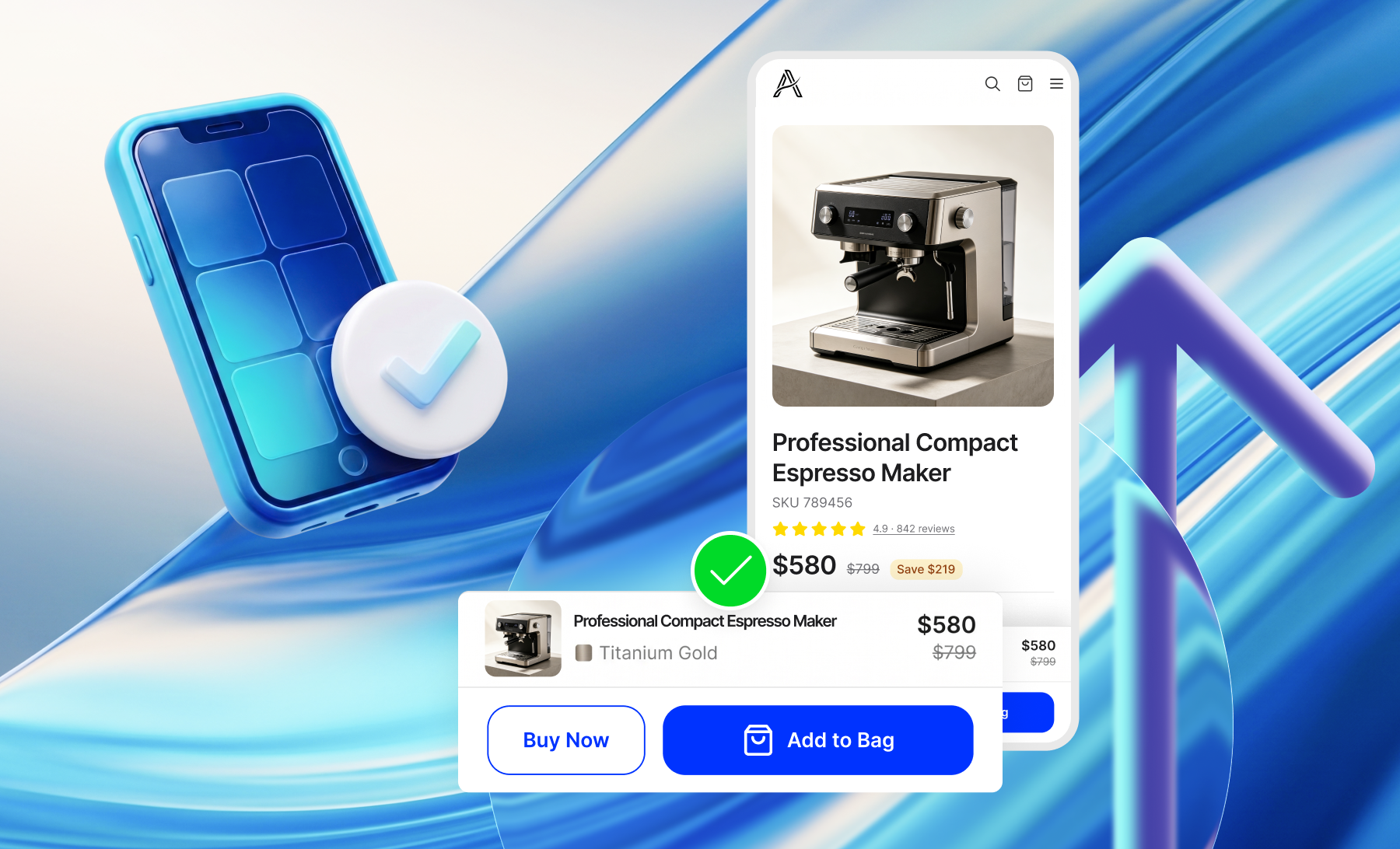




Promotions can encourage larger purchases and improve conversion, but poorly implemented offers can also introduce friction into the purchasing experience. Even an attractive discount or incentive may underperform when its conditions are unclear, its value is difficult to assess, or its presentation distracts customers from completing their orders.
In one product bundling test by Clean Commit, average order value (AOV) increased by 9.8%, while conversion rate fell by 4.0%. Meanwhile, a different experiment of adding cross-sell recommendations to product bundles resulted in a 28.6% increase in conversion rate and a 17.4% increase in revenue per visitor (RPV). These contrasting results highlight how the design and implementation of promotional offers can influence purchasing decisions and overall revenue performance.
If your store struggles to translate promotion into stronger conversion and revenue, our eCommerce CRO services can help identify and prioritize friction in the purchase journey.
In this article, we'll examine five common eCommerce promotional mechanics, the UX issues that can limit their effectiveness, and how to evaluate their impact on conversion performance:
- Upsells and cross-sells: Are product recommendations relevant, and does their placement support the purchase decision?
- Spend thresholds and tiered rewards: Are incentives appropriate for the order value, and can customers track their progress?
- Promo codes and coupons: Are discounts easy to redeem without introducing unnecessary checkout friction?
- Discount price display: Are savings clearly communicated and consistent across pages?
- Free shipping thresholds: Is the threshold commercially meaningful, and are the conditions easy to understand?
KEY TAKEAWAYS
- Cross-sells and tiered rewards can encourage larger purchases, but irrelevant or poorly placed offers can introduce friction.
- UX design and site functionality should make promotional offers easy to understand without distracting customers from checkout.
- Measure promotional effectiveness by comparing average order value (AOV), conversion rate, revenue per visitor (RPV), and profitability before and after changes.
1. Upsells and Cross-Sells: Prioritize Relevance and Placement
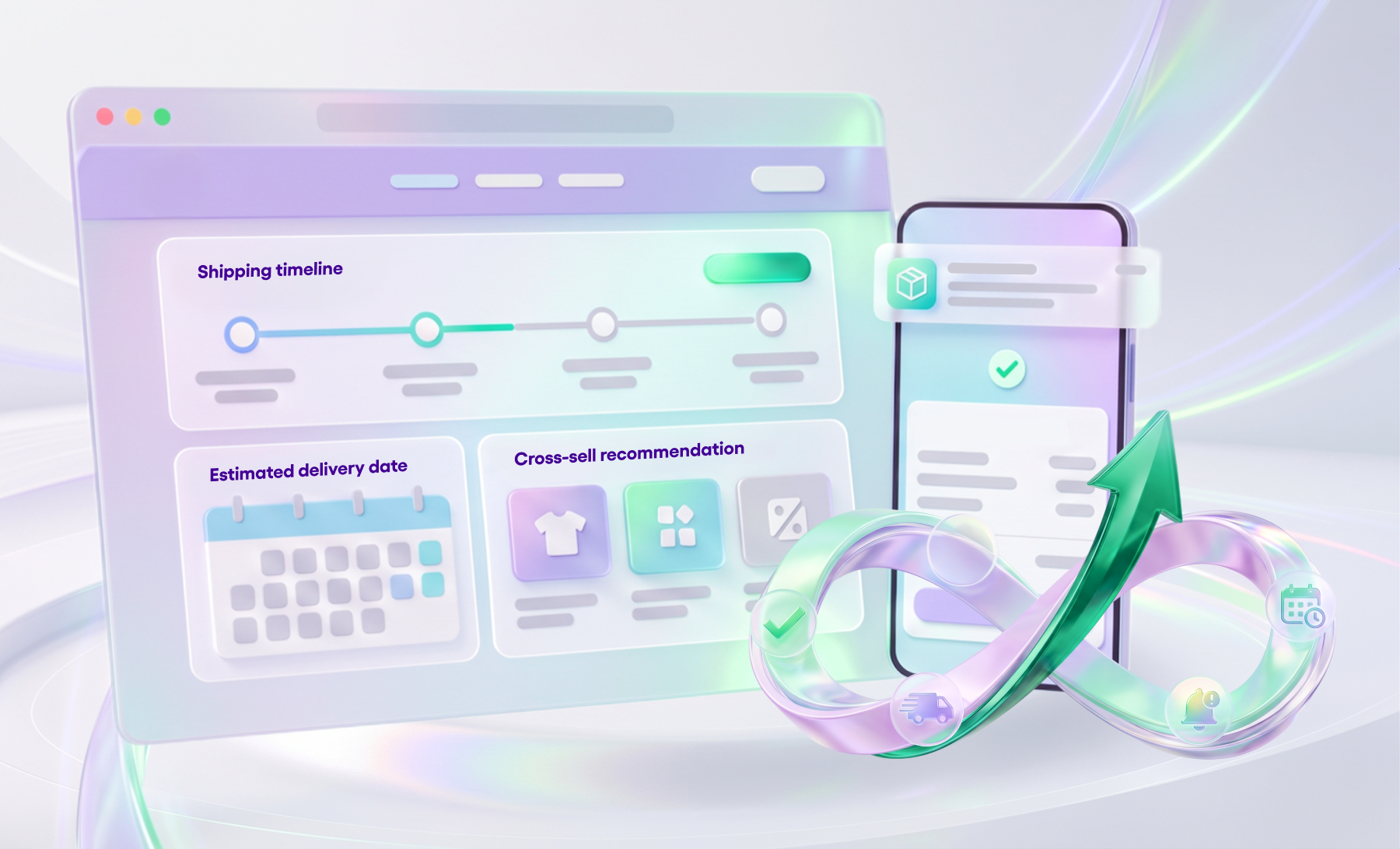
Upselling and cross-selling can increase average order value by encouraging customers to purchase higher-value options or complementary products. However, their effectiveness depends heavily on product relevance, placement, and timing. Recommendations that interrupt the purchase process or compete with the main checkout action can create unnecessary friction.
According to Baymard, 52% of desktop sites display cart recommendations that are either irrelevant or based solely on what other shoppers had purchased. Their research also found that even one irrelevant suggestion could undermine customers' confidence in other product recommendations.
Common UX mistakes include:
- Irrelevant recommendations: Suggesting products based only on popularity or purchasing patterns, without considering their compatibility or relationship to the selected item.
- Poor timing: Recommending alternative products during checkout, potentially encouraging customers to reconsider a purchase they were ready to complete.
- Overcrowded shopping carts: Displaying too many recommendations or promotional widgets, especially on mobile, making it harder to review the order and proceed to checkout.
Brands doing Effective Cross-Selling
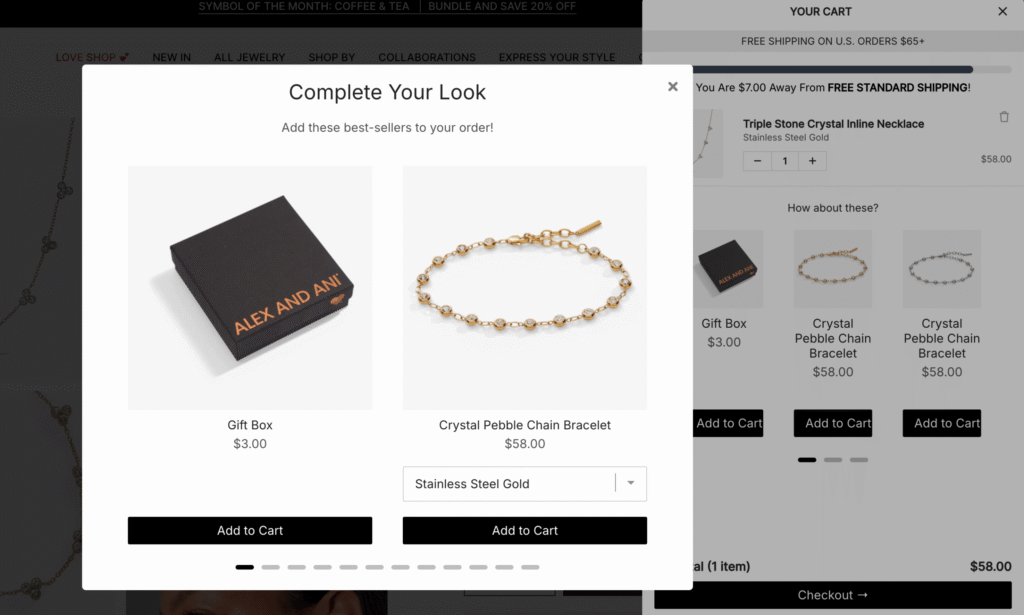
Jewelry brand Alex and Ani implemented behavior-based product recommendations through Rebuy, introducing cross-sell suggestions immediately after items were added to the cart, alongside a "Complete the Look" widget featuring complementary jewelry. According to the case study, the broader personalization implementation was associated with an 18.01% increase in AOV, with nearly 40% of orders including a recommended product.
Another interesting example is audio and video retailer Crutchfield, which recommends compatible accessories when customers add products such as HDMI cables to their carts. Rather than filling a fixed number of recommendation slots, the store adjusts the number of suggestions based on the availability of relevant products.
2. Spend Thresholds and Tiered Rewards: Make Progress Clear and Incentives Relevant
Spend thresholds and tiered rewards encourage customers to increase their order value by offering incentives such as free shipping, discounts, or complimentary gifts once they reach a certain amount. Their effectiveness depends on how relevant and achievable the rewards are, and how clearly customers can track their progress.
Common UX mistakes include:
- Incentives that do not match the order value: Promoting high-spend rewards or financing options for low-value purchases, where the offer is unlikely to influence the purchase decision.
- Unclear thresholds and progress: Displaying generic promotional messages without explaining the spending requirement or showing customers how close they are to unlocking a reward.
- Poor visibility in the cart: Placing reward information where customers may overlook it, rather than integrating it into the cart experience.
Lane 201's Tiered Cart Rewards
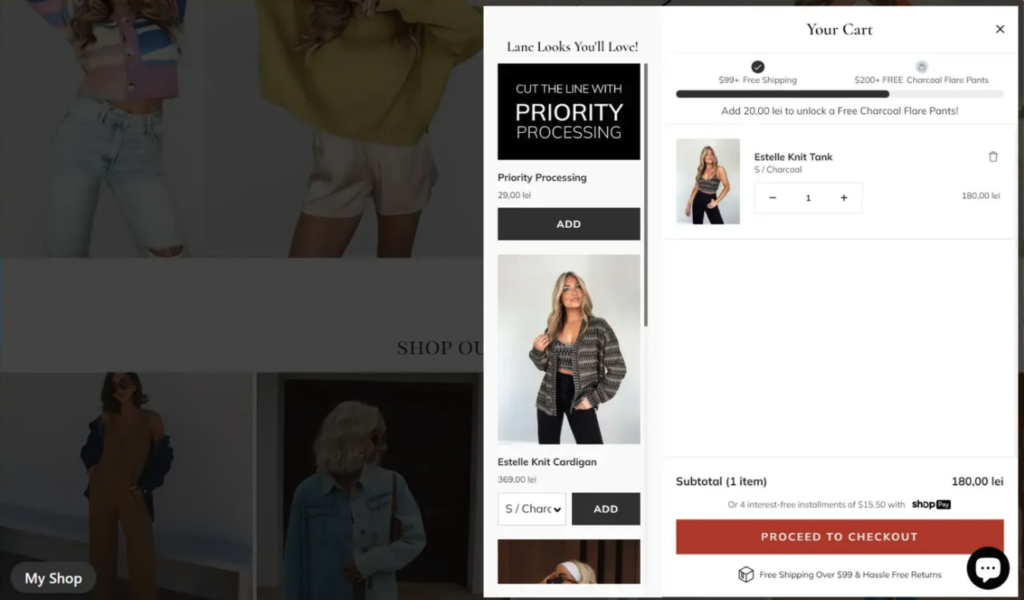
Fashion retailer Lane 201 worked with Blue Stout to redesign its shopping cart using Rebuy's Smart Cart. The implementation introduced a progress bar showing how close customers were to unlocking free shipping at $99, followed by a complimentary gift at $200. Personalized product recommendations also helped customers discover relevant items to reach these thresholds.
According to Blue Stout's case study, the broader cart redesign resulted in a 10% increase in AOV and an 11% increase in checkout completion.
3. Promo Codes and Coupons: Reduce Friction at Checkout
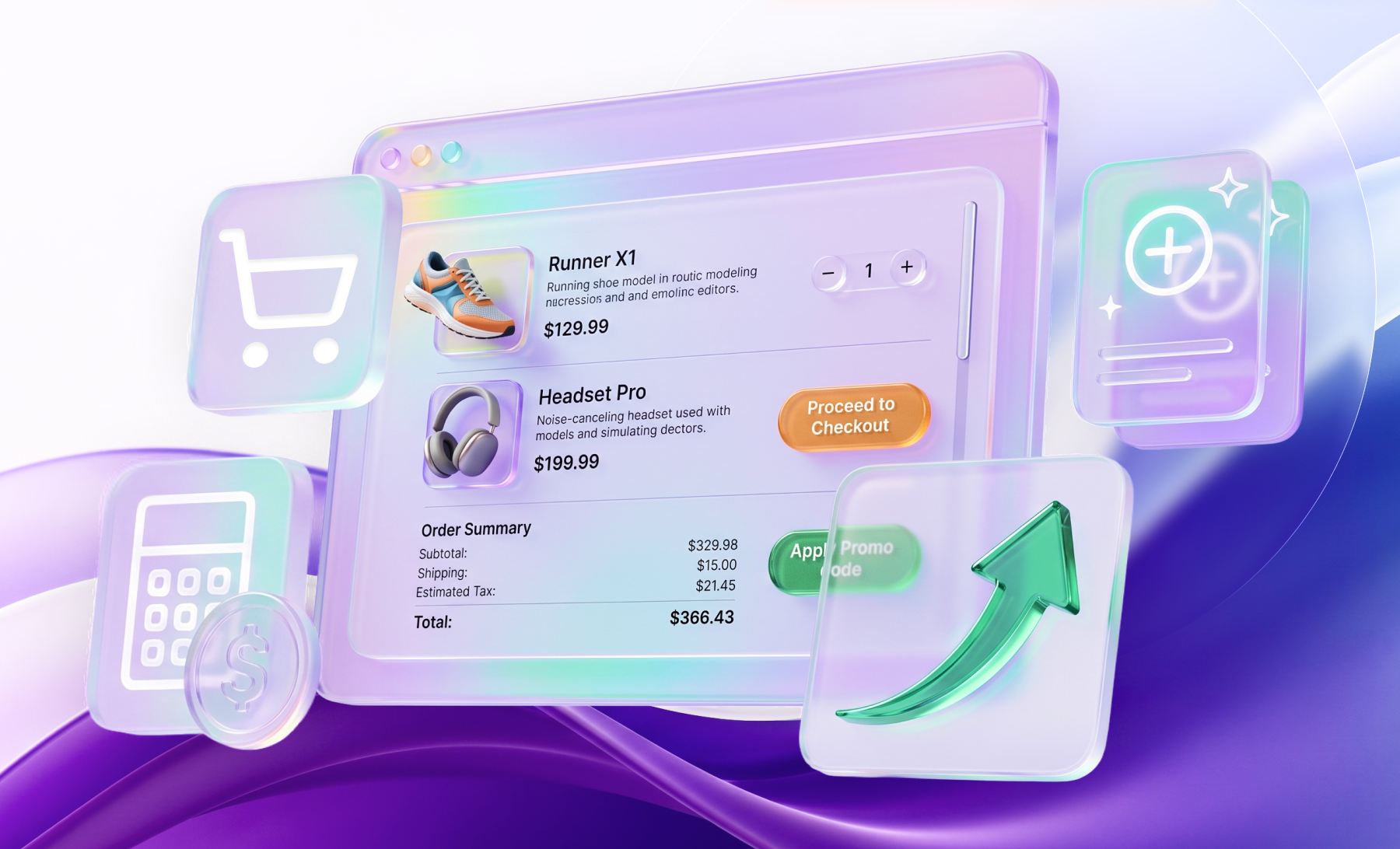
Promo codes are a common way to distribute discounts and track campaign performance, but their placement in the shopping cart or checkout can introduce unnecessary distractions.
According to Baymard Institute's checkout usability research, prominent coupon fields can prompt customers to leave the checkout process to search for discount codes elsewhere. Their benchmark found that 35% of sites with promotional code fields displayed them by default, potentially interrupting customers who were otherwise ready to purchase.
Common UX mistakes include:
- Overly prominent promo code fields: An always-visible input field can distract customers from completing checkout and encourage them to search for discounts they may not have.
- Unnecessary manual entry: Requiring customers to enter codes for promotions they already qualify for, such as automatic cart discounts or membership rewards.
- Unclear application feedback: Failing to confirm whether a code was successfully applied or clearly reflect the discount in the order total.
Adidas' Sleek Promo Code Field
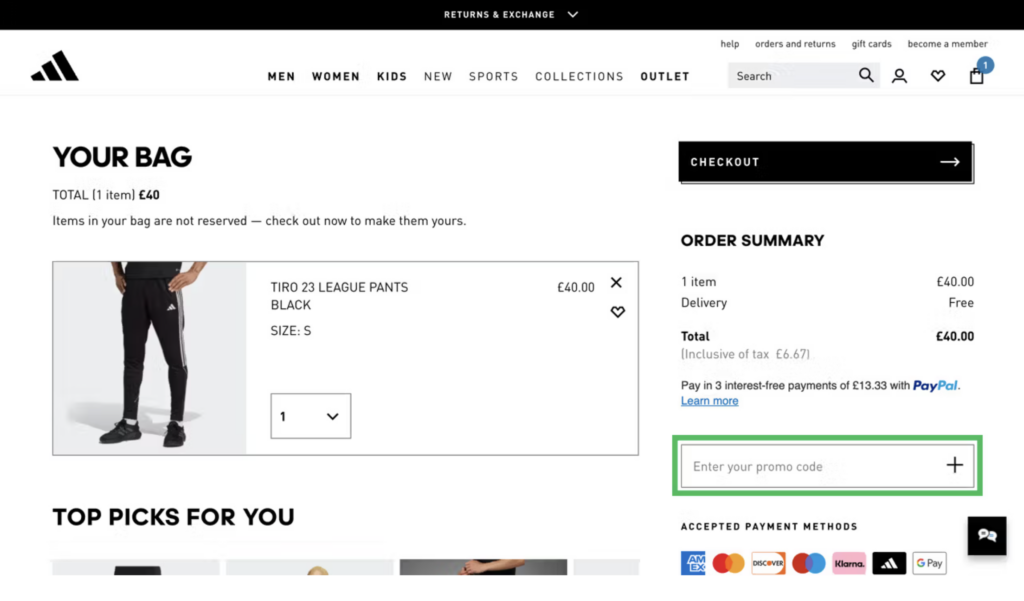
Adidas provides an example of how to keep discount codes accessible without competing with the primary checkout action. Its shopping cart displays a collapsed "Enter promo code" field that customers can expand when needed.
This approach accommodates customers arriving through promotional campaigns while keeping the checkout interface simpler for shoppers without a discount code. The appropriate approach depends on how the promotion works:
| Scenario | Recommended approach |
|---|---|
| The offer has a clear trigger (spend threshold, membership, specific products) | Apply it automatically when conditions are met, and show the applied offer on the page. |
| The campaign requires a code | Collapse the field into a link, and clearly show the price change once applied. |
| You are unsure whether the code field causes checkout drop-off | Run an A/B test rather than assuming one approach works best for every store. |
When testing, evaluate promo code field engagement, successful code application, checkout abandonment, and revenue per visitor (RPV) to understand whether changes improve the overall purchase experience.
4. Discount Price Display: Make Savings Clear and Consistent
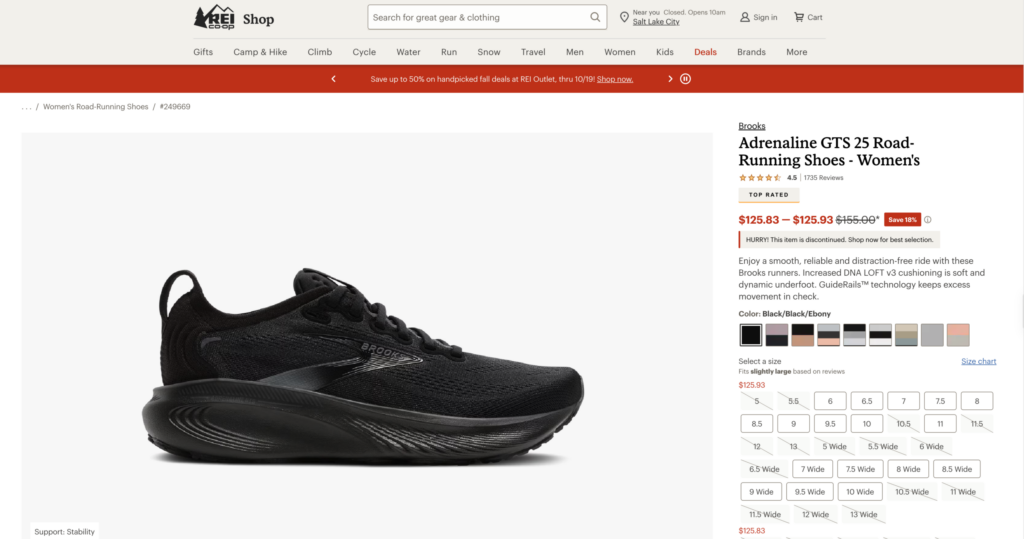
Even an attractive discount can be overlooked if customers cannot quickly identify the final price or understand how much they are saving. According to research, more than 18% of benchmarked eCommerce sites have at least one issue with how discounts were presented, including poor price visibility, disconnected promotional messaging, and unclear savings.
Common UX mistakes include:
- Weak visual hierarchy: The original price, sale price, and savings lack sufficient visual distinction, making it difficult to identify the actual price customers will pay.
- Inconsistent promotional messaging: Sitewide banners advertise discounts that are not clearly reflected on product pages, leaving customers uncertain about which offers apply.
- Unclear savings: Discounts are presented without emphasizing the amount or percentage saved, making their value less apparent.
Brands Displaying Discounts Right
REI uses a struck-through original price alongside a bold red sale price, with the percentage saved clearly displayed. This makes it easy for customers to distinguish the current price from the original without searching for additional information.
Similarly, Home Depot groups its promotional information in one area, including the current price, original price, "Special Buy" label, and savings in both absolute and percentage terms. Both examples demonstrate how a clear pricing hierarchy can make promotional offers easier to understand.
When deciding whether to emphasize a percentage or an absolute amount, consider which communicates greater perceived savings. For example, a $20 product discounted to $15 may benefit from displaying "25% off" rather than "$5 off," while a $1,000 product reduced to $900 may benefit from emphasizing "$100 off" instead of "10% off." Where space allows, displaying both can help customers assess the offer more easily.
5. Free Shipping: Evaluate Thresholds and Communicate Costs
Free shipping is a powerful purchase incentive, particularly for cross-border eCommerce. According to fulfilmentcrowd's 2025 consumer research, 40% of surveyed UK shoppers identified high shipping fees as a barrier to international purchases, while 45% considered transparent shipping costs important for trusting international retailers.
Beyond communicating shipping costs clearly, brands should evaluate whether their free-shipping thresholds actually encourage larger purchases without introducing unnecessary friction or eroding margins.
Common UX and commercial mistakes include:
- Poor visibility: Free-shipping conditions are buried in the cart or only revealed at checkout, leaving customers unaware of the incentive or how much more they need to spend.
- Thresholds set too low: Most orders already qualify for free shipping, limiting the incentive to increase order value while the brand continues to subsidize delivery.
- Thresholds set too high: The additional spending required is unrealistic for typical orders, potentially discouraging customers rather than motivating larger purchases.
Free Shipping Optimization
In a test by Webtrends Optimize, a luxury apparel retailer made its £175 free-shipping threshold more visible by replacing a small notice with a progress bar and a confirmation checkmark once customers qualified. Over four weeks, revenue increased by 2%, with desktop transactions rising by 7%.
Another example from Intelligems illustrates the importance of setting the right threshold. A sporting goods brand had an average order value of approximately $650, yet offered free shipping above just $100, meaning over 85% of orders already qualified. An A/B test raising the threshold to $500 resulted in a 6% increase in AOV and a 12% increase in revenue per visitor.
The appropriate threshold will depend on typical basket values, shipping costs, and product margins. Testing different thresholds can help determine whether the incentive generates incremental revenue and improves overall order profitability.
6. Measuring Results: Judge Promotions by Revenue per Visitor
Before and after implementing promotional changes, evaluate their impact across multiple metrics. An increase in average order value does not necessarily translate into better overall performance, particularly if conversion rates decline or promotional costs reduce profitability.
| Metric | What it measures | Use |
|---|---|---|
| Conversion rate | Share of visitors who complete a purchase | Reveals whether promotions introduce purchase friction |
| Average order value (AOV) | Average revenue per order | Shows whether customers are spending more |
| Revenue per visitor (RPV) | Total revenue divided by visitors | Captures the combined impact of conversion rate and order value |
| Add-to-cart rate | Share of visitors who add products to their cart | Helps identify changes in early purchase behavior |
| Profitability | Contribution margin after discounts and variable costs | Confirms whether promotions generate profitable growth |
The Clean Commit bundle test discussed earlier illustrates the importance of evaluating these metrics together: AOV increased by 9.8%, but conversion rate declined by 4.0%. Looking at either metric in isolation would provide an incomplete picture.
When testing promotional changes:
- Define success metrics in advance. Use RPV as a primary revenue metric, with conversion rate and add-to-cart rate as guardrails. Evaluate profitability where data is available.
- Segment your results. Compare performance across mobile and desktop, as well as new and returning customers.
- Allow sufficient testing time. Estimate the required sample size and cover a full business cycle, including weekdays and weekends.
- Monitor after implementation. Verify that improvements persist once the change is rolled out to all visitors.
We Review Promotional Mechanics as Part of Your CRO Strategy
Promotions are often planned around marketing campaigns and sales targets, without necessarily evaluating how they affect the overall purchasing experience. As the examples above illustrate, product recommendations, reward thresholds, promo codes, and discount displays can all influence whether customers complete their orders.
For established eCommerce brands, improving these mechanics may involve identifying friction through UX audits, refining existing promotional features, or implementing more advanced capabilities such as AI-powered product recommendation engines.
If you're looking to improve your store's conversion performance, contact us to discuss how our UX audit services and AI-driven commerce solutions can help identify opportunities and improve the purchasing experience.
Frequently Asked Questions
No. Results depend on whether the mechanics are clear and easy to use. Irrelevant recommendations, a prominent promo code field or confusing discount display add friction and can lower conversion.
Five areas: relevance of upsells and cross-sells, progress display for tiered rewards, how visible the promo code field is, how clearly discount prices are shown, and how visible the free shipping threshold is.
Recommend products closely related to the selected item. Avoid unrelated items, and do not suggest substitutes at checkout.
Use a clear progress bar that shows how much more customers need to spend to reach free shipping or the next gift.
Revenue per visitor (RPV). Average order value or conversion rate alone can mislead.